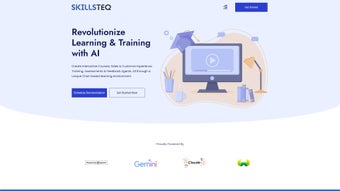

Download SkillsTeq – AI‑Driven E‑Learning Platform for Personalized Training
SkillsTeq is redefining corporate learning by harnessing artificial intelligence to craft immersive, tailor‑made educational journeys. Unlike traditional LMS solutions that rely on static content, SkillsTeq delivers a chat‑based interface that reacts to each learner’s questions in real time, generating quizzes, role‑play scenarios, and assessments that match the user’s skill level and business context. The platform automatically transforms existing client data into relatable training modules, slashing production time while preserving high‑quality instruction.
Whether you are looking to upskill sales teams, onboard new hires, or maintain compliance across a distributed workforce, SkillsTeq offers a secure, cloud‑based environment that scales effortlessly across Windows, macOS, Android, and iOS devices. In addition to its AI core, the solution provides robust analytics, seamless integrations, and a mobile‑first design that ensures learning can happen anywhere, anytime. This combination of adaptive technology and enterprise‑grade security makes SkillsTeq a compelling choice for organizations that demand both flexibility and rigor in their training programs.
Key Features That Set SkillsTeq Apart
The heart of SkillsTeq lies in its ability to blend cutting‑edge AI with practical e‑learning tools. Below is a detailed look at the most impactful capabilities that differentiate it from conventional learning platforms. Each feature is designed not only to enhance learner engagement but also to streamline the administrative burden on training teams, ensuring a smooth end‑to‑end experience.
- AI‑Powered Adaptive Learning: The built‑in conversational engine analyzes learner inputs and instantly adjusts content difficulty, ensuring every user stays in the optimal “zone of proximal development.”
- Dynamic Quiz Generation: Upload any document, slide deck, or video and SkillsTeq automatically creates a bank of multiple‑choice, true/false, and scenario‑based questions.
- Hyper‑Realistic Role‑Play Training: Simulated sales calls, customer service interactions, and compliance drills are generated on‑the‑fly, with AI‑driven feedback that highlights strengths and improvement areas.
- Data‑Driven Scenario Builder: By ingesting CRM records, transaction logs, or case studies, the platform builds training scenarios that mirror real‑world challenges specific to your organization.
- Seamless Integration: Connects with popular HRIS, LMS, and CRM tools (e.g., Workday, SAP SuccessFactors, Salesforce) via secure APIs.
- Progress Analytics & Reporting: Real‑time dashboards track completion rates, knowledge retention, and skill acquisition across teams.
- Multi‑Platform Accessibility: Fully responsive web app and native mobile apps for Windows, macOS, Android, and iOS, allowing learners to train on any device.
- Secure Cloud Architecture: End‑to‑end encryption, GDPR compliance, and role‑based access controls protect sensitive corporate data.
Together, these features create a learning ecosystem that not only adapts to each individual’s pace but also aligns with broader organizational objectives. The AI‑driven approach eliminates the repetitive manual work of quiz creation, while the integration capabilities ensure that SkillsTeq can sit comfortably within existing tech stacks, reducing the need for costly migrations or parallel systems.
Installation & Usage Instructions
Getting started with SkillsTeq is straightforward, whether you prefer a browser‑based experience or a native app. The following step‑by‑step guide walks you through account creation, deployment choices, integration setup, content onboarding, and day‑to‑day usage, ensuring that both administrators and learners can hit the ground running without unnecessary delays.
- Create an Account: Visit skillsteq.com and click “Sign Up.” Provide your corporate email, set a strong password, and verify the account via the confirmation link.
- Select a Deployment Option: Choose between the SaaS cloud version (recommended for most businesses) or an on‑premises Docker container for highly regulated environments.
- Configure Integrations: In the admin dashboard, navigate to “Integrations” and connect your HRIS, CRM, or existing LMS using the provided API keys or OAuth tokens.
- Upload Source Content: Drag‑and‑drop PDFs, PowerPoint decks, or video files into the “Content Library.” SkillsTeq will automatically parse the material and populate the AI knowledge base.
- Define Learning Paths: Use the visual flow builder to map out modules, assessments, and role‑play checkpoints. Assign paths to specific user groups or job roles.
- Launch the Chat Interface: Learners log in, select their assigned path, and begin a conversation with the AI tutor. The interface resembles a modern messaging app, making the experience intuitive.
- Monitor Progress: Administrators can view real‑time analytics, generate compliance reports, and adjust difficulty settings based on performance metrics.
- Update & Iterate: As new data becomes available (e.g., updated product catalogs or policy changes), simply upload the revised files. SkillsTeq’s AI will instantly incorporate the changes into quizzes and scenarios.
For organizations that require offline access, the mobile apps support cached lessons that sync once an internet connection is restored. The platform also offers a “sandbox” environment for testing new modules before they go live, allowing training teams to experiment safely. By following these steps, you can establish a fully functional, AI‑enhanced learning environment in less than an hour, freeing up valuable time for strategic initiatives.
Compatibility, Pros & Cons
SkillsTeq is built to operate across a broad spectrum of devices and operating systems, ensuring that no learner is left behind due to hardware constraints. Its cloud‑native architecture delivers consistent performance, while native applications guarantee a seamless experience on each platform. Below you will find a detailed breakdown of supported environments, followed by a balanced assessment of the platform’s strengths and areas where improvement is still possible.
Supported Operating Systems: Windows 10/11, macOS 12+, Android 8.0+, iOS 13+, and any modern web browser (Chrome, Edge, Firefox, Safari). The solution is delivered via a secure HTTPS connection, ensuring consistent performance across desktop and mobile devices.
Pros
- Highly personalized learning paths reduce knowledge gaps faster.
- Automated quiz and scenario creation saves months of instructional design time.
- Real‑time AI feedback accelerates skill mastery, especially in sales coaching.
- Robust analytics provide clear ROI metrics for training initiatives.
- Scalable architecture supports small teams to enterprise‑wide deployments.
- Multi‑platform access promotes learning on the go.
- Secure cloud infrastructure meets stringent compliance standards.
- Extensive integration library reduces friction with existing enterprise tools.
Cons
- Initial AI model fine‑tuning may require a modest amount of data preparation.
- Advanced customization (e.g., bespoke AI personas) is only available on higher‑tier plans.
- Learning curve for administrators unfamiliar with AI‑driven content creation.
- Dependence on stable internet connectivity for cloud‑based features.
- Pricing for large enterprises can be higher than legacy LMS solutions.
While the platform excels in delivering adaptive content and insightful analytics, organizations should plan for a short onboarding period to train administrators on AI model configuration. Overall, the benefits—accelerated learning, reduced content creation costs, and measurable outcomes—far outweigh the initial setup considerations.
Frequently Asked Questions
Below are answers to the most common queries from prospective users. This section is designed to clarify any lingering doubts about licensing, data security, offline capabilities, and support, helping you make an informed decision before committing to SkillsTeq.
Is SkillsTeq free to use?
SkillsTeq offers a free trial with limited modules, after which organizations can choose from tiered subscription plans based on user count and feature set.
Can I import existing LMS courses into SkillsTeq?
Yes. The platform supports SCORM, xAPI, and common file formats (PDF, PPT, MP4). Imported content is automatically indexed for AI‑driven quiz generation.
How secure is my corporate data on SkillsTeq?
Security is a core focus: data is encrypted in transit (TLS 1.3) and at rest (AES‑256). SkillsTeq complies with GDPR, CCPA, and ISO 27001 standards.
Does SkillsTeq work offline?
The mobile apps allow cached lessons to be accessed offline, but AI‑driven interactions and analytics require an internet connection to sync.
What kind of support is available?
Subscribers receive 24/7 email support, a dedicated account manager for enterprise plans, and access to an extensive knowledge base and community forum.
Conclusion – Is SkillsTeq the Right Choice for Your Organization?
In a landscape where training budgets are scrutinized and employee attention spans shrink, SkillsTeq delivers a compelling blend of AI personalization, rapid content creation, and measurable outcomes. The platform’s ability to turn raw client data into immersive role‑play scenarios differentiates it from conventional e‑learning tools, while the chat‑based interface lowers the barrier to entry for learners of all tech comfort levels. Although there is a modest learning curve for administrators and some advanced features are gated behind premium tiers, the overall value proposition—speedier skill acquisition, reduced development costs, and robust analytics—makes SkillsTeq a strong contender for forward‑thinking organizations.
Ready to experience AI‑driven learning that adapts to every user in real time? Download SkillsTeq now and start your free trial today. Transform training from a static checklist into an engaging, data‑rich journey that drives performance across your workforce.
SkillsTeq impresses with its AI‑powered adaptability and the speed at which it generates relevant quizzes and role‑play modules. While the onboarding process could be smoother for non‑technical admins, the platform’s analytics and integration capabilities more than make up for any initial friction.



.png)



